
The #1 Ai Powered Research system for MBA.
From MagicSearch or Manual scans to checking real KPIs like BSR, orders, and AI Trademark checks — all the way to ready-to-upload designs with AI Designer and listing copy with the AI Listing Generator.
Created by top Merch by Amazon sellers.
Prefer a walkthrough? Extension Tutorials
Trusted by Merch sellers from
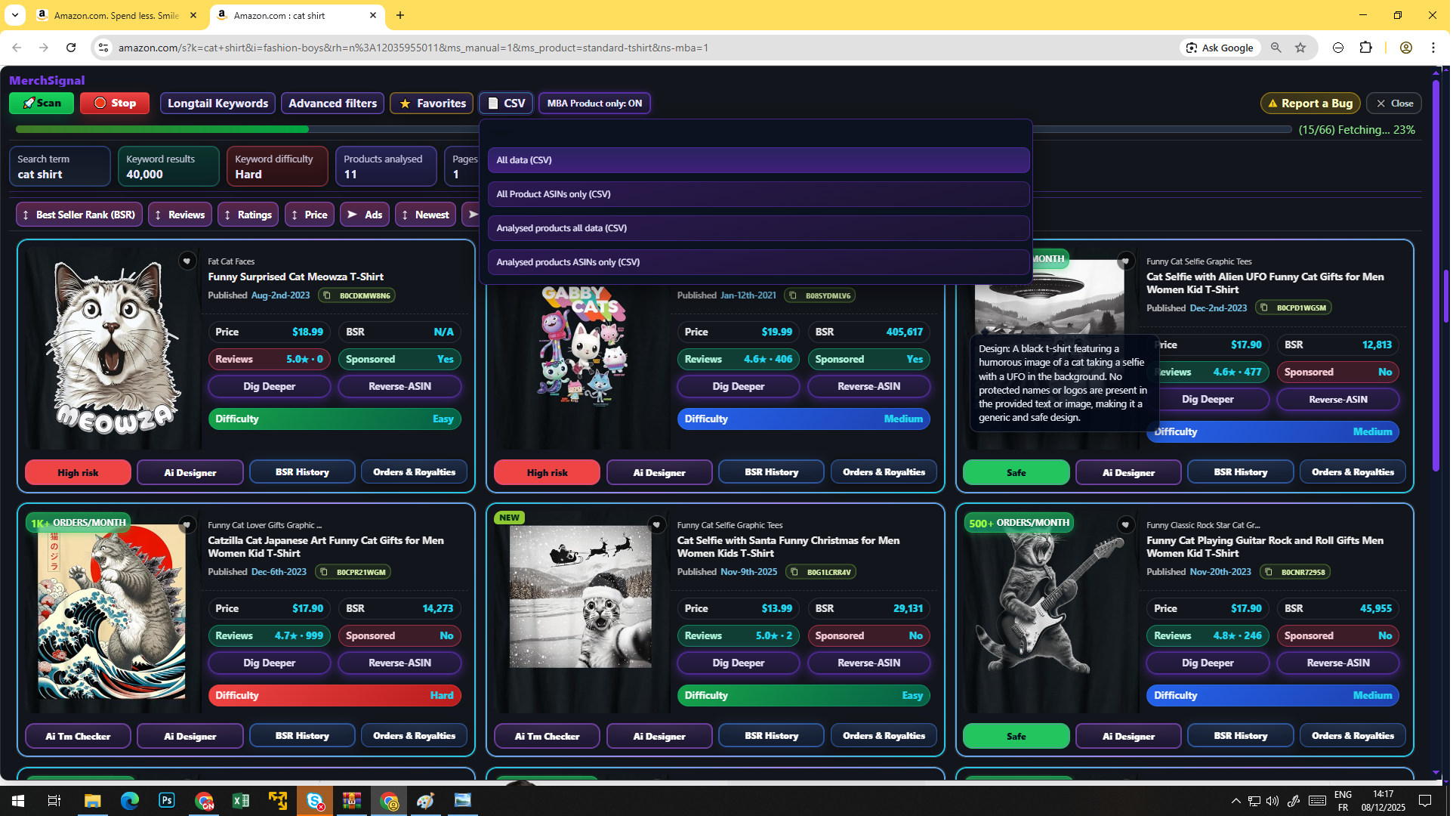
Screenshots from the MerchSignal extension
-
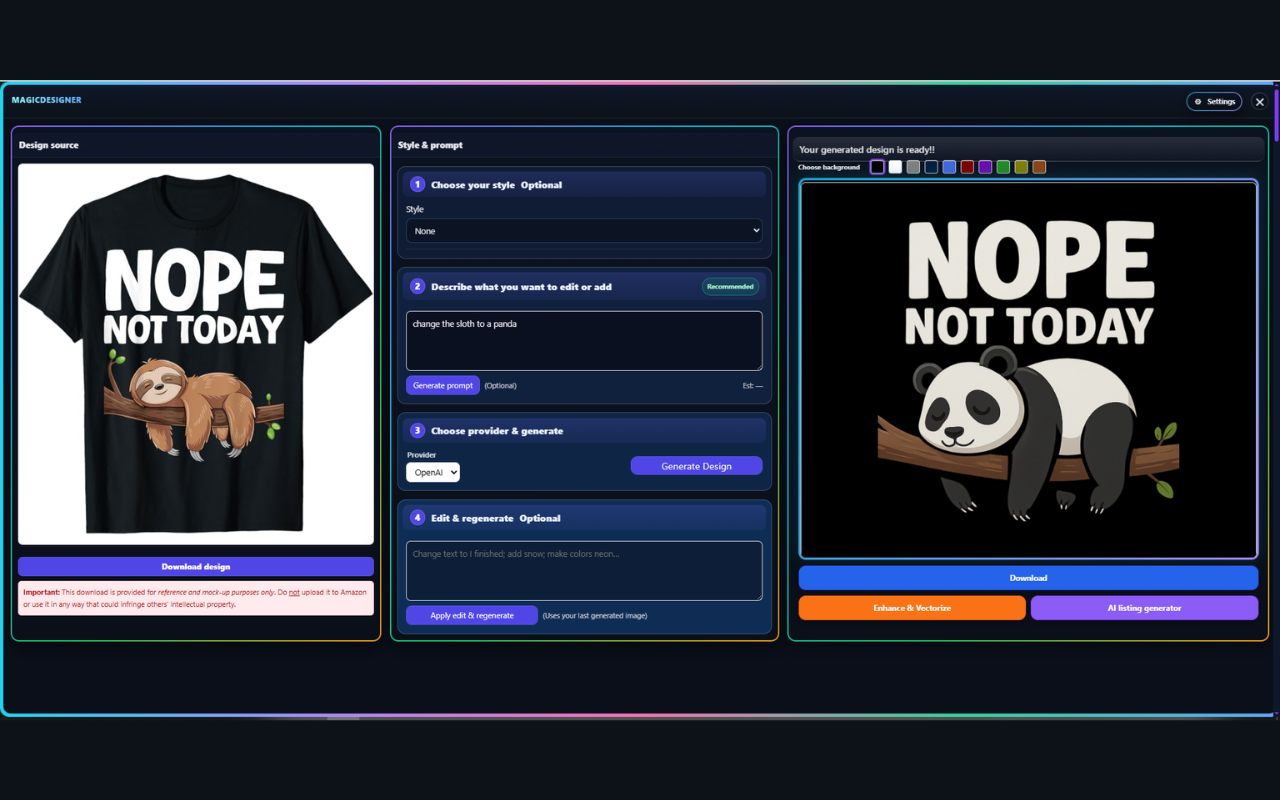
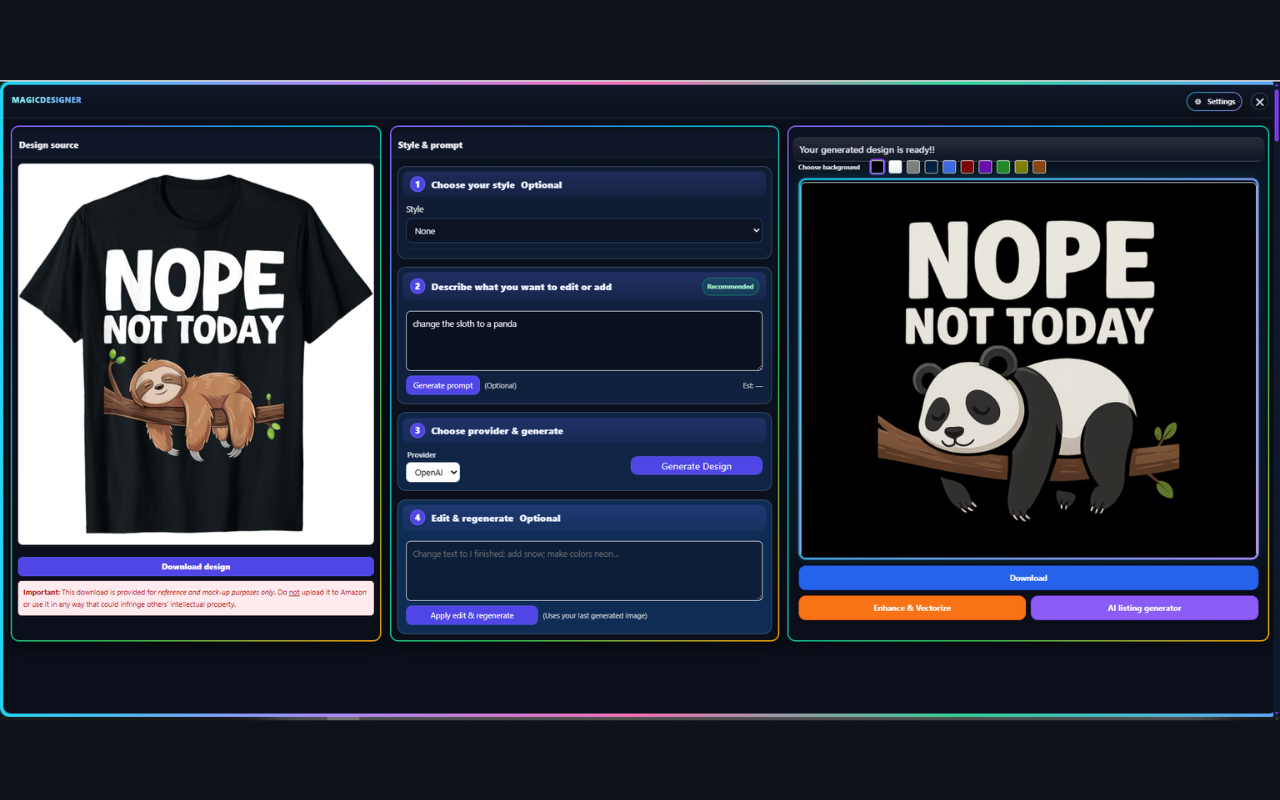
MagicDesigner — edit & regenerate designs safely
-
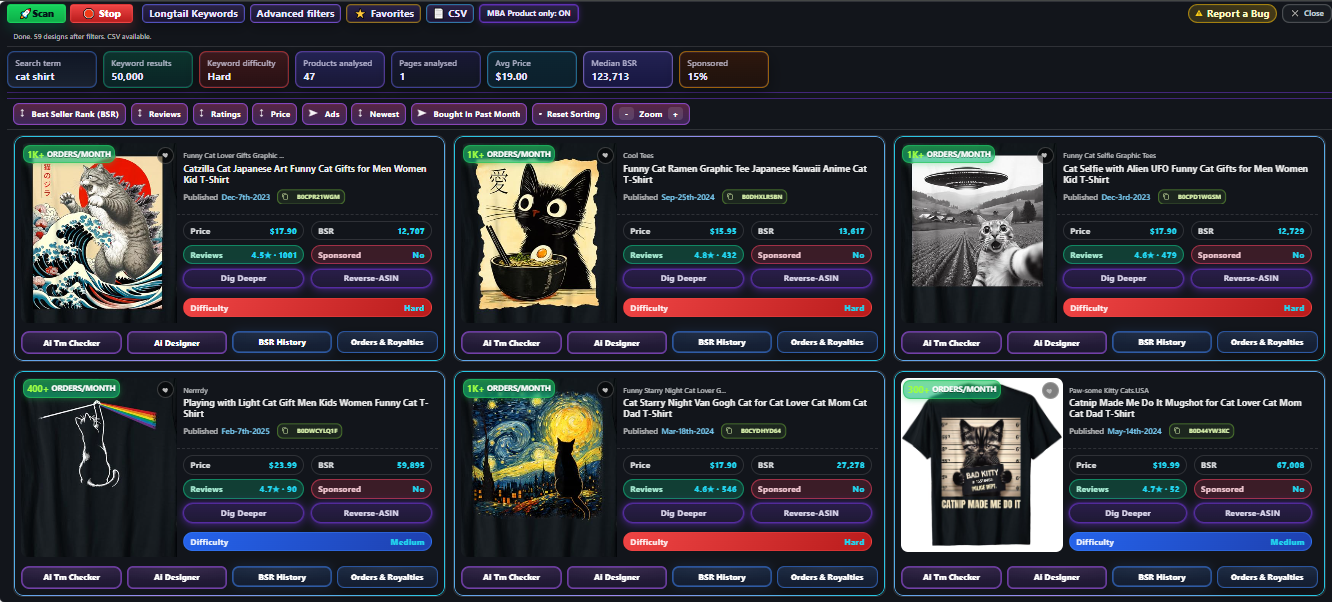
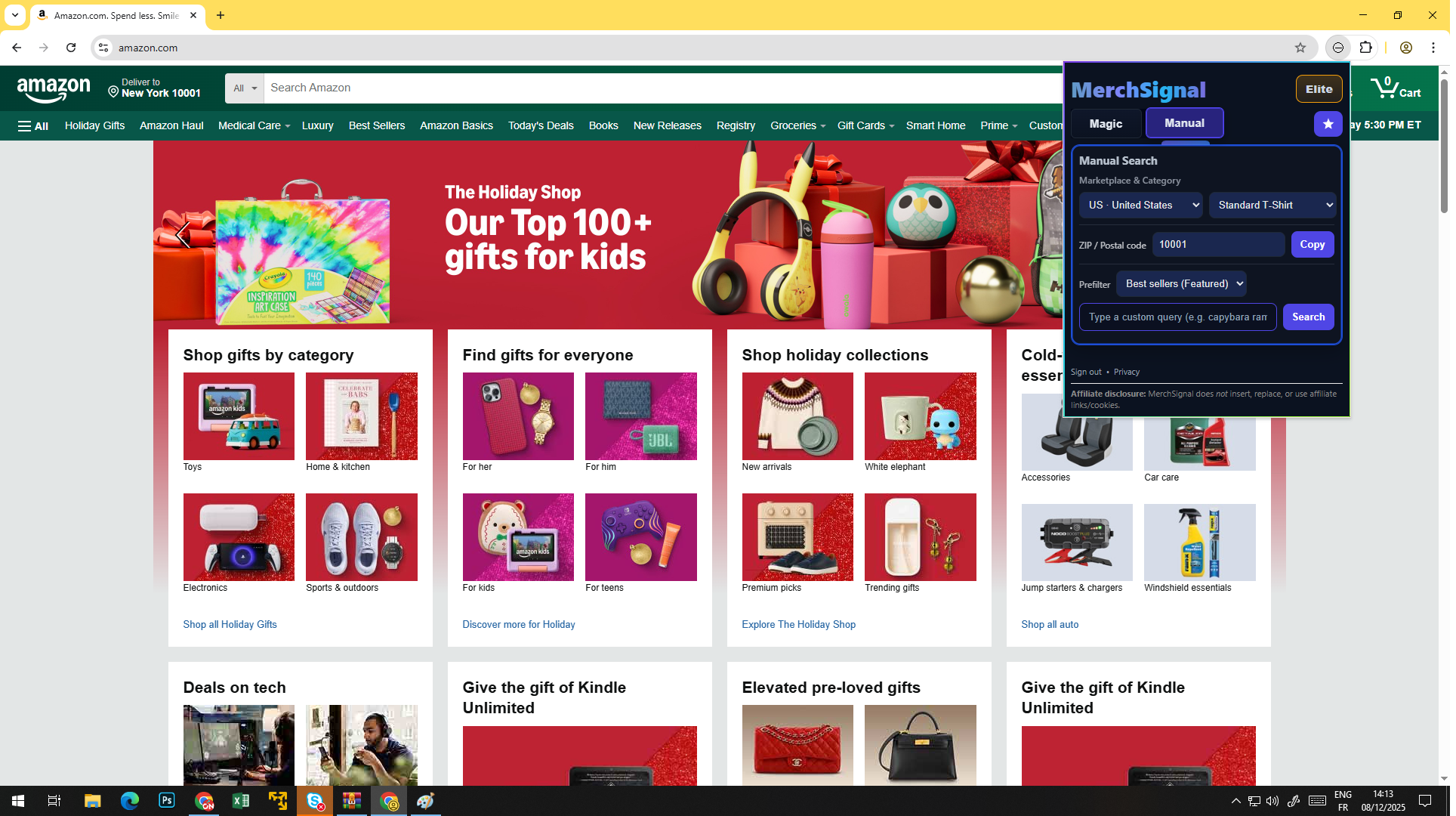
MagicSearch — niche results with rich product cards
-
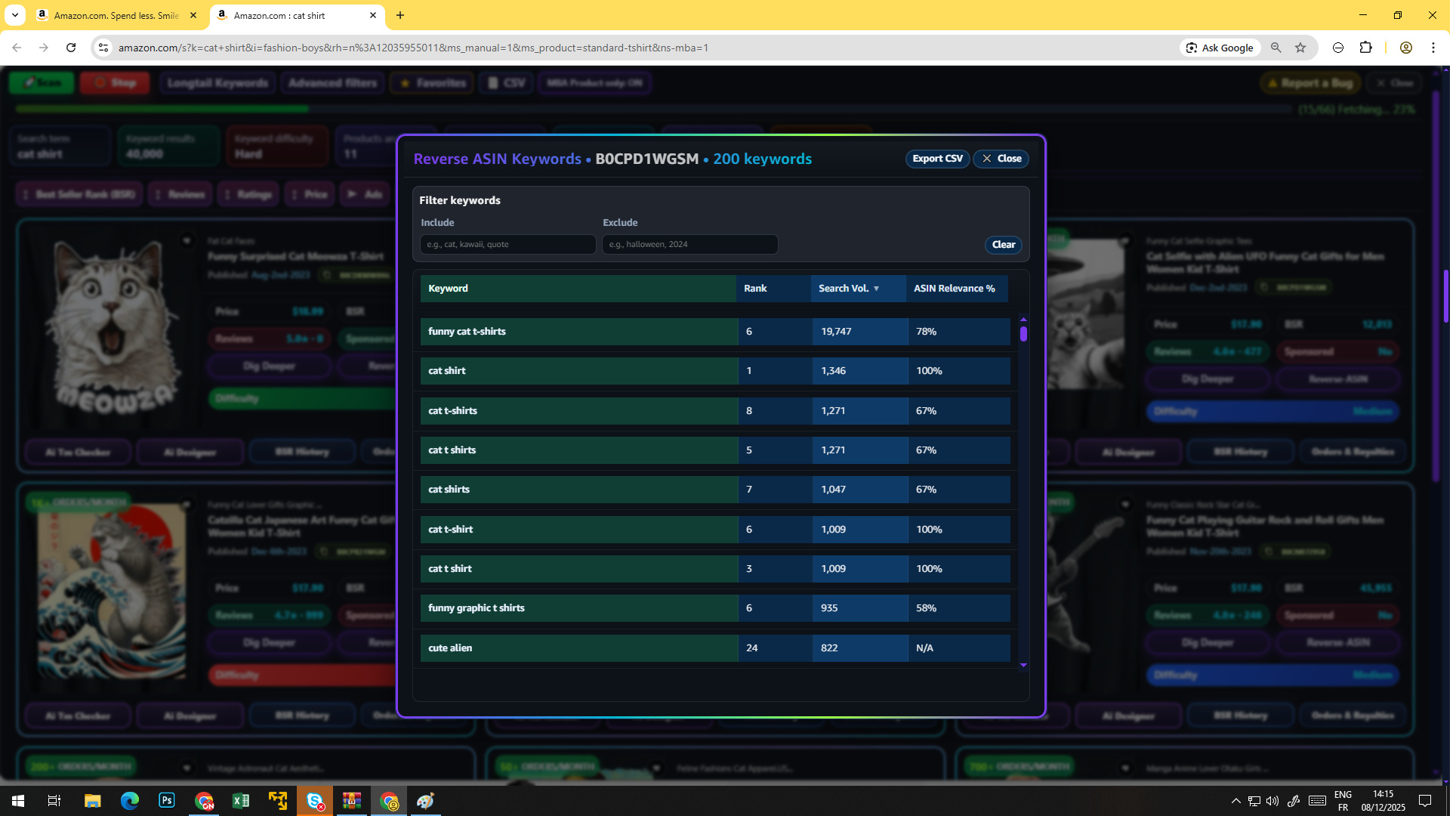
Reverse ASIN — proven keywords table
-
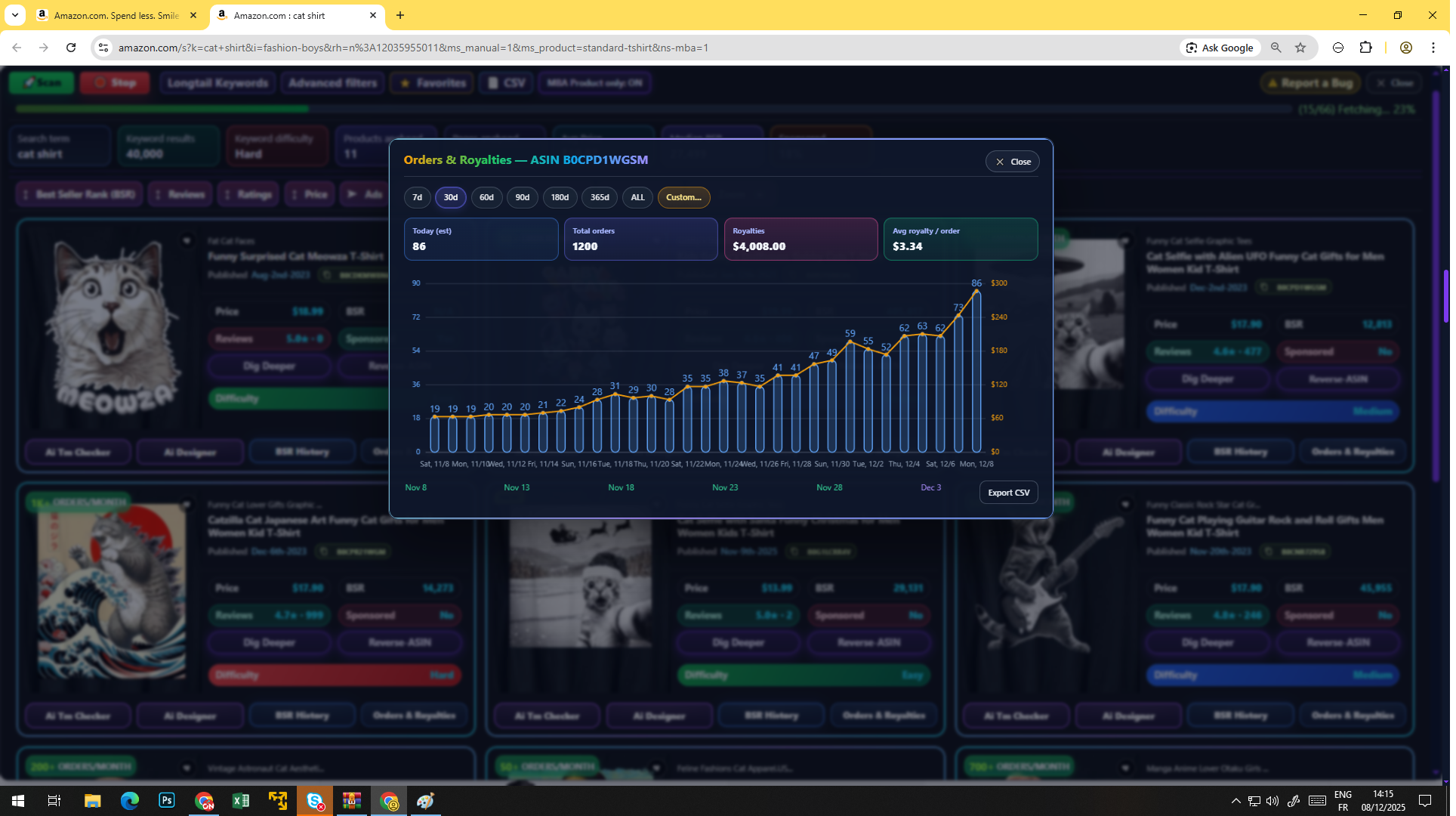
Orders & Royalties — revenue growth chart
-
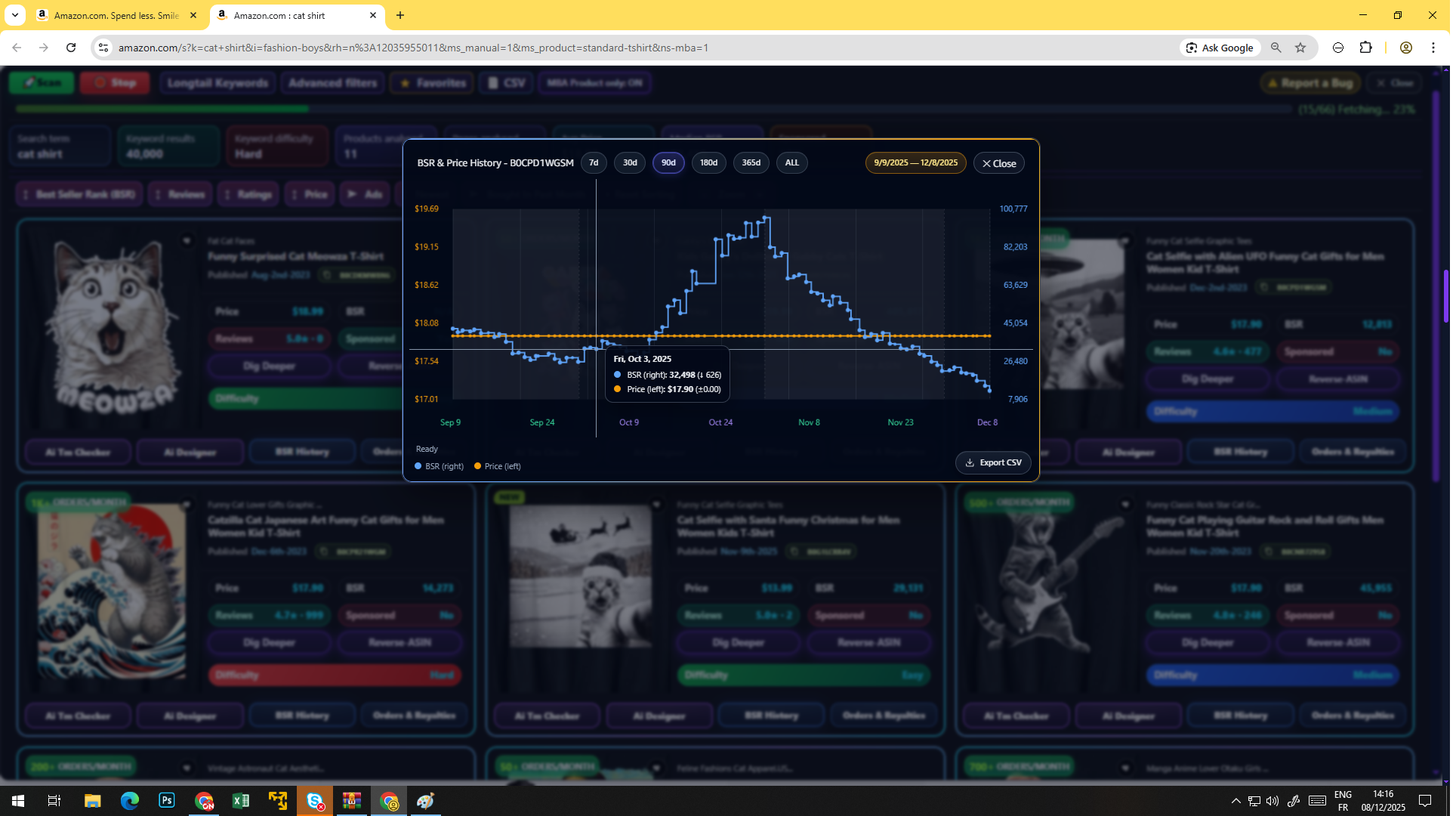
BSR & Price history — performance timeline
-
MerchSignal — extension screenshot
-
MerchSignal — extension screenshot

-
MerchSignal — extension screenshot
-
MerchSignal — extension screenshot

-
MerchSignal — extension screenshot

-
MerchSignal — extension screenshot

-
MerchSignal — extension screenshot

-
MerchSignal — extension screenshot

-
MerchSignal — extension screenshot
-
MerchSignal — extension screenshot
-
MerchSignal — extension screenshot
-
MerchSignal — extension screenshot
-
MerchSignal — extension screenshot
-
MerchSignal — extension screenshot
-
MerchSignal — extension screenshot
-
MerchSignal — extension screenshot
-
MerchSignal — extension screenshot
-
MerchSignal — extension screenshot
-
MerchSignal — extension screenshot
-
MerchSignal — extension screenshot
All‑in‑one research overlay for Amazon Merch On Demand
Research, analyze, and export without leaving Amazon. Lightweight, fast, and built for creators who want results.
Privacy & Safety
- Not affiliated with Amazon or Merch by Amazon.
- No browsing-history collection; page content processed on-device.
- Optional BYOK for AI features; keys stay on your device.
- HTTPS membership/limits checks only when you use a feature.
Find profitable niches in minutes
MagicSearch
AI‑powered niche discovery. Enter a seed, get curated ideas, open any in a new tab.
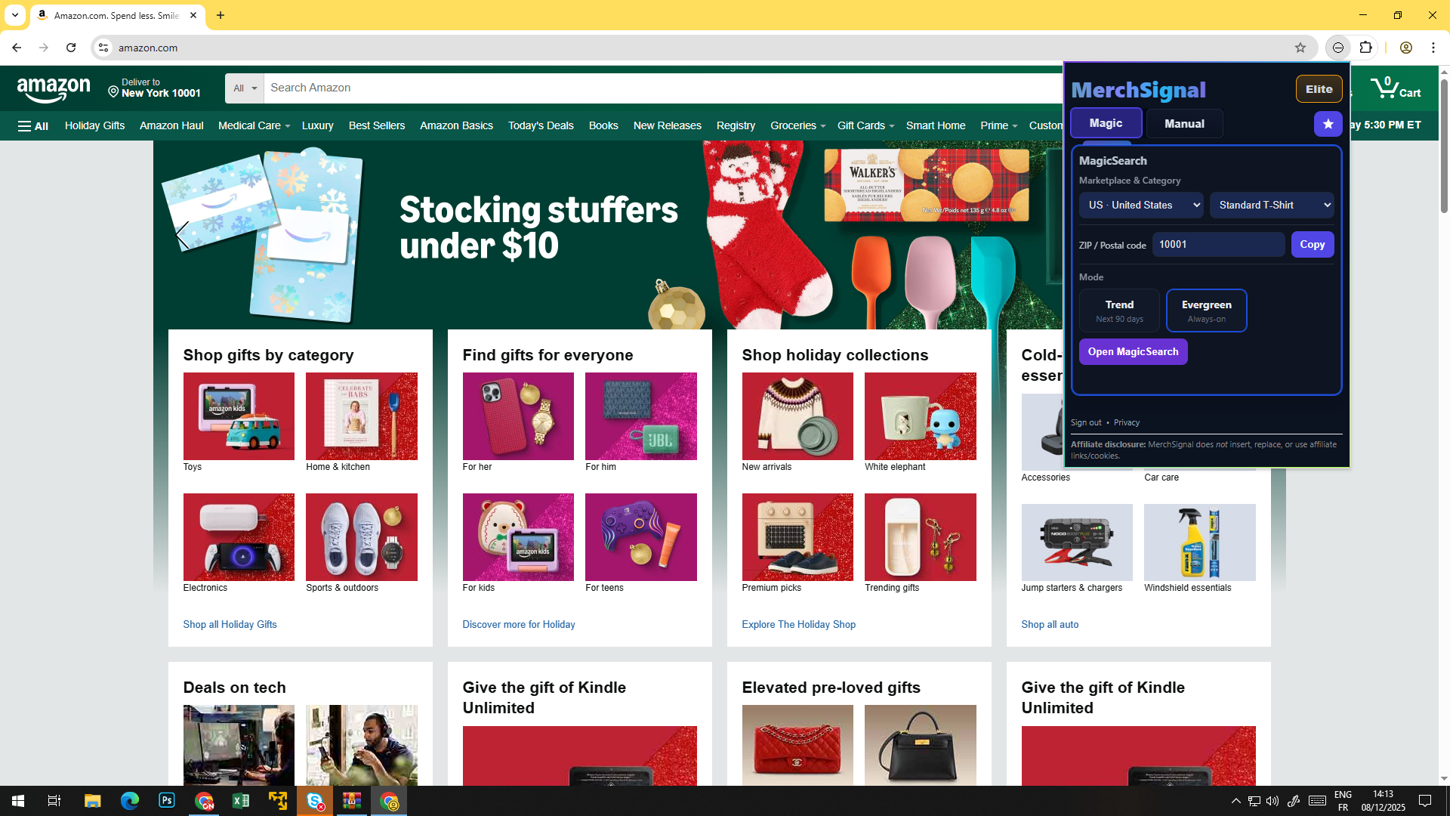
Manual Search
Quick product scan with BSR, price, reviews & basic signals. Pause/resume anytime.
Long‑Tail Keywords
Generate keyword ideas from the current results page. Copy singles or export CSV.
Reverse ASIN
Pull proven keywords for any product (BYOK supported).
AI Trademark Checker
Fast risk screen for designs, titles, and brands before you commit.
See patterns, not just products
BSR & Price History
Simple charts to spot trends and understand momentum.
Orders & Royalties
Lightweight revenue estimates so you can prioritize winners.
Dig Deeper
PDP deep scan to surface hidden insights and context.
Go from idea to listing faster
AI Prompt & Design
Generate concepts from prompts. BYOK optional for cost control.
Enhance & Vectorize
Turn images into clean vectors perfect for POD (BYOK optional).
AI Listing Generator
Draft titles, bullets, and descriptions faster.
Stay organized while you explore
Favorites & Workspace
Save and group interesting listings, then export selections.
CSV Export
Data is only exported when you click Export. Your data, your choice.
Filters & Presets
Refine by marketplace & product type. Save presets to reuse later.
From search to export in 5 steps
- Open Amazon and click the MerchSignal toolbar icon, sign in.
- Run on SERP with MagicSearch or Manual; use Long‑Tail Keywords.
- Open a PDP and run Dig Deeper, Reverse ASIN, AI TM Checker.
- Review charts (BSR/Price, Orders/Royalties) and shortlist.
- Organize & export favorites; CSVs are created only on request.
Built for speed, designed for safety
Permissions we request
- amazon.* site access — read the current page to produce results you requested.
- activeTab & scripting — inject/remove the overlay after you click the icon.
- downloads — for CSV/assets you explicitly export.
- storage — remember your toggles, filters, and small caches.
- If shown: offscreen — render user‑requested assets; created after an action, closed immediately.
Your data
- No browsing‑history collection.
- On‑device processing wherever possible.
- Membership/limits checks may contact merchsignal.com over HTTPS only when you use a feature.
- BYOK keys stay on your device and call only the provider you enable.
MerchSignal is not affiliated with or endorsed by Amazon or Merch by Amazon. All trademarks belong to their respective owners.